JSoko

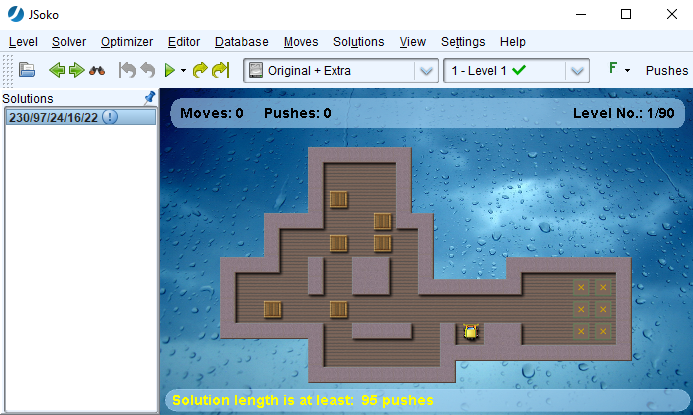
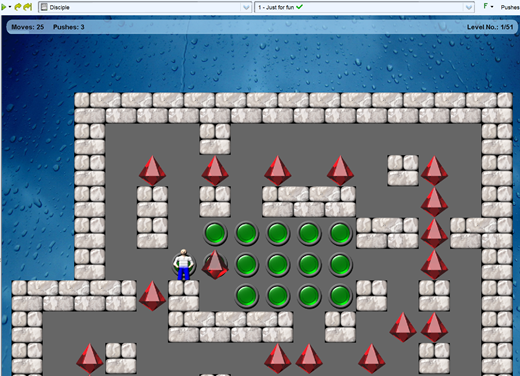
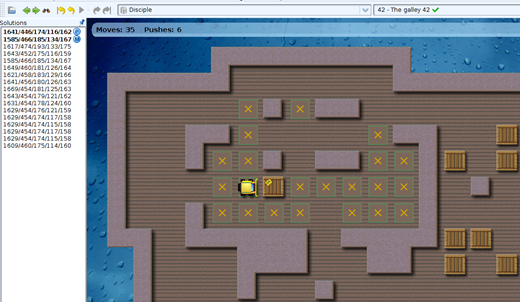
JSoko is a Java program for playing the Sokoban game.

It's developed as an open source program at www.sourceforge.net 

Current version of JSoko is 2.25


Suggestions or any questions? Write to:  JSoko(at)mail.de

Sokoban News

By tags filter: jsokomopsokoban for windowssokoban yascsokolutionyassysokoban

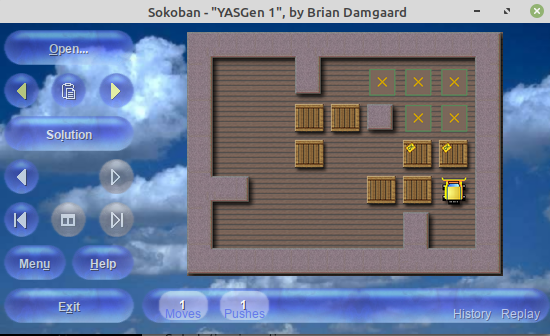
Sokoban YASC 1.682 has been published

Brian Damgaard has published a new version of his great and widely used Sokoban YASC program.


The release notes for this new version:

    • New feature: Walking player animation.
      This is an alternative to the simpler "directional player" animation, which has always been capable of showing a player avatar with directional orientation (e.g., an arrow-shaped avatar reflecting the direction of movement).
      The walking player animation features separate animations for walking and pushing.
      The skin format has been extended accordingly (see the detailed layout description added to the built-in help).
      A new speed control parameter has been introduced to regulate the duration of the animation sequence:
      "Settings | Animation | Walking player animation | Do move (milliseconds)". 
      This dedicated setting is necessary to prevent the animation sequence from being rendered too quickly, which would negate the visual effect.
    • Added a new "KenBri - Walking Player" Public Domain skin with walking player imagery.
      The original concept and foundational elements for this skin were generously placed in the Public Domain by Kenney Vleugels (via the CC0 dedication).
      Building upon this base, the resulting "KenBri" skin features significant, high-impact contributions by Brian Damgaard.
      Due to its graphical quality, gameplay suitability, and broad applicability for the Sokoban game, this skin is also donated to the Public Domain under the CC0 license.
      For full details, please see the accompanying description:
      In the skin selector window, select the skin and then choose "Menu -> Image text..."
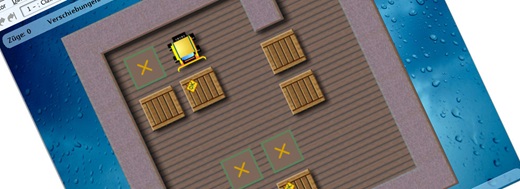
    • Added a new "KenBri - Directional Player" skin, featuring a directional player avatar in place of a walking animation.
      This player drawing, processed and re-rendered using AI image tools, features a cartoon-style player drawing with advanced, professional-grade shading and depth. 
      Graphic artists are highly encouraged to develop walking player imagery based on this drawing.
      Such contributions would enable a future unified skin variant, serving as a replacement for the existing "KenBri - Walking Player" skin.
      Due to its graphical quality, gameplay suitability, and broad applicability for the Sokoban game, this skin is also donated to the Public Domain under the CC0 license.
      For full details, please see the accompanying description:
      In the skin selector window, select the skin and then choose "Menu -> Image text...".
    • The KSokoban skin has been replaced with a comprehensively updated version, achieving significant improvements in both aesthetics and gameplay clarity.
      While the original skin possessed strong ray-traced foundations, it was critically flawed by design inconsistencies and poor color choices that hampered visibility.
      This new version resolves those issues, introducing a consistent theme, a highly visible yellow gemstone for the player, and a new blue diamond for boxes-on-goals. 
      This refined version is intended to become a worldwide replacement for this classic skin. 
      The skin contains a detailed breakdown of all the modifications:
      In the skin selector window, select the skin and then choose "Menu -> Image text...".
      Thanks to Matthias Meger for valuable contributions to this skin.
    • The oldest section of puzzles from the YASGen collection - the "Greek Mythology" section - has been discarded, as these were early examples of auto-generated puzzles possessing little or no human appeal; they were predominantly perceived as chaotic random sequences of pushes that suddenly yielded a solution. 
      The key lessons learned were that auto-generated puzzles must either be small (e.g., four boxes), a size at which the chaotic element is successfully contained and perceived as a stimulating challenge, or - for larger auto-generated puzzles - they must exhibit structure, such as featuring a goal-room theme or connected goals, in order to introduce identifiable objectives. 
      One discarded puzzle deserving of honorable mention is "Hera":
       "9#|#.$.--*@#|#--.$*$$#|##-$*-*-#|#3-*3-#|#-#$.$#.#|#.$-.--.#|9#". 
      This 7x6 puzzle (not countng exterior walls), with 39 interior floor squares, held the longest known optimal solution of its size class (for conventional puzzles, not recursive so-called "Fibonacci puzzles") and illustrates the practically unsolvable complexity achievable by auto-generation within such small dimensions.
    • The Haywood puzzle collection has been streamlined by discarding the older "SokEvo" puzzle set - which shared the same design shortcomings as the early YASGen puzzles (detailed in the preceding entry) - and retaining only the "SokHard" set, with the entire collection renamed accordingly. 
      Furthermore, to enhance visual variety and appeal, redundant walls have been removed from all remaining puzzles in the collection. 
      One discarded puzzle deserving of honorable mention is "Teresa": 
       "7#|#+$--.#|#*$*$-#|#-$--.#|#.$*$-#|#.--.-#|7#", 
      which was proven to have the longest push-optimal solution in the class of 5x5 puzzles (excluding exterior walls) with nine boxes and no interior walls.
    • All hint texts and menu captions across the application have been inspected and refined using AI tools to improve consistency and bring the language closer to idiomatic English.
    • Windows 11 compatibility: The former logic utilized a two-step process for installing the accompanying Sokoban game skins:
      unpacking them to a shared, common program directory (as unmodified  source files) followed by a copy operation to the individual user's skin folder (where modification is permitted). 
      This design was intended to maintain a clean source copy of all standard skins.
      The subsequent copy step failed on certain installations, notably those running Windows 11, likely due to elevated operating system privilege restrictions. 
      The installer package now bypasses the intermediate common folder and writes all accompanying skins directly to the user's local skin folder during installation and updates.
      This ensures all skins are accessible and modifiable by the user. 
      However, this also means that any local modifications to the default skin files will be overwritten during future updates, so users should make their own copy of a skin before modifying it.
    • Minor changes.
Tags: sokoban yasc

Sokoban YASC 1.681 has been published

Brian Damgaard has published a new version of his great and widely used Sokoban YASC program.


The release notes for this new version:

    • Added a plug-in script for the BoxSearch Sokoban solver by Ge Yong.
      The script seamlessly integrates BoxSearch into the Sokoban YASC environment, allowing users to launch, stop, and manage tasks directly from the solver task queue. 
      As with other supported solvers (such as Festival and Sokolution), the BoxSearch program itself must be downloaded separately from its website due to licensing restrictions.
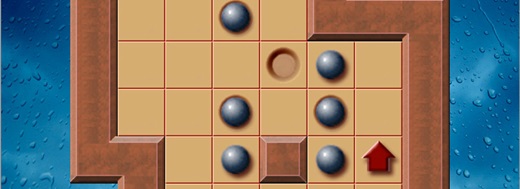
    • Enhanced the "Macintosh" Sokoban skin by Scott Lindhurst. 
      The player (ladybug) and the boxes (marbles) now have a perfectly rounded shape. 
      This resolves the slightly irregular outlines that appeared after the original skin was converted to the larger 64x64 pixel format.
    •  Addressed an issue with unexpected undo operations in reverse mode, when a user switches between using the mouse and the keyboard.
       A jump is a special move at the start of a reverse mode game that allows the player to bypass walls and boxes to get from one area to another. 
      The program's behavior differed depending on the input  method used for the jump. 
      Keyboard jumps:
      The user manually guides the player along the jump's path.
      Because the users are aware of this path, they can easily recognize if a subsequent keyboard move steps back along it.
      In this case, the user isn't surprised to see the program interpret the move as an undo operation.
      While the user might be mildly surprised to see the program (for practical reasons) reverse the entire jump, the action is overall predictable and understandable. 
      Mouse jumps:
      A mouse jump is performed by simply clicking the destination square.
      The program automatically calculates the path, and while the moves are shown on the board, the user typically doesn't pay close attention to the specific path taken. 
      The issue arose when a user performed a mouse jump and then used the keyboard for the very next move. 
      If this keyboard move happened to fall on the program's jump path, the program would interpret it as an undo, effectively "teleporting" the player back to the starting position.
      This was confusing for the user, who was unaware of the path and the fact that the keyboard move had triggered an undo.
      The program now never treats a keyboard move made immediately after a jump as an undo operation.
      This prevents the player from unexpectedly being sent back to the jump's starting position.
      Thanks to Carlos Montiers for bringing this up.
    • Minor changes.
Tags: sokoban yasc

Sokoban for Windows 3.4 build 5 has been published

Björn Källmark has published Sokoban for Windows version 3.4 build 4.


Release notes for this version:

  • Fixed:   Crash in select files to download
  • Fixed:   Live update crash when upgrading Sokoban.exe


 A feature comparison of the main Sokoban programs can be found in the Sokoban Wiki.

zpqCMeb@6oxMpfGUyU_BL

Sokoban e-mail group

Visit: Sokoban group

Acknowledgements


JSoko installers are created using install4j.

install4j is a powerful multi-platform Java installer builder that generates native installers and application launchers for Java applications.


JSoko is developed with the help of the YourKit Java Profiler.

YourKit is kindly supporting open source projects with its full-featured Java Profiler. YourKit, LLC is the creator of innovative and intelligent tools for profiling Java and .NET applications. Take a look at YourKit's leading software products: