


JSoko
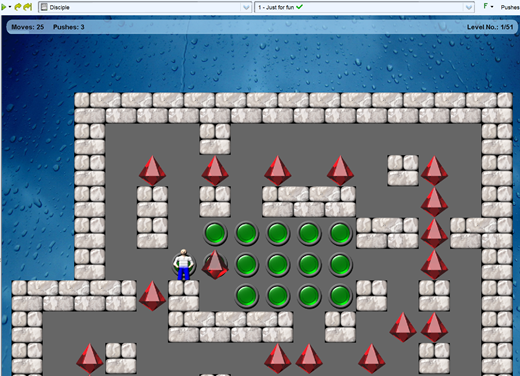
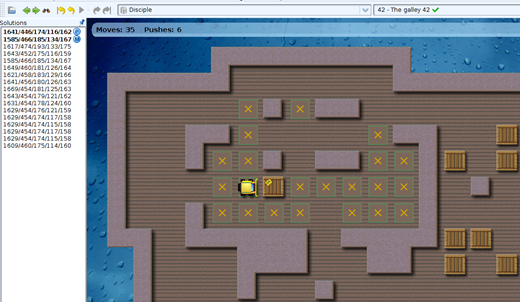
JSoko is a Java program for playing the Sokoban game.
It's developed as an open source program at www.sourceforge.net
Current version of JSoko is 2.29
Suggestions or any questions? Write to: JSoko(at)mail.de

Sokoban News
Sokoban YASC 1.686 has been published
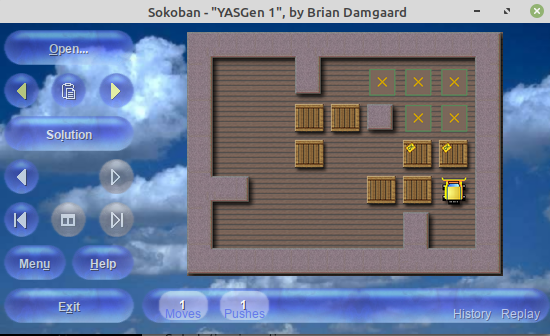
Brian Damgaard has published a new version of his great and widely used Sokoban YASC program.
The release notes for this new version:
- Enhanced the scaling logic for the main gameplay window to provide a seamless experience in multi-monitor configurations.
Previously, the scaling factor for menu buttons and the status bar was calculated only once at program launch based on the primary monitor's resolution.
The program now dynamically detects the resolution of the specific monitor currently hosting the gameplay window and adjusts the scaling accordingly.
Thanks to Matthias Meger for testing this feature enhancement. Bugfix (1.684): Restored the ability to disable automatic scaling for the menu and status bar.
The program had stopped honoring the manual override in the "Settings" window.
Thanks to Matthias Meger for reporting this bug.Bugfix (1.684): Corrected the auto-advance behavior for the Music player.
Previously, if a track failed to play, the player would jump back to the first file in the folder instead of moving on to the next valid track.
Additionally, there was an issue with manual navigation where moving backward to a previous track would fail to skip past a non-playing track.
Moving forward worked correctly.Minor changes.
Sokoban YASC 1.685 has been published
Brian Damgaard has published a new version of his great and widely used Sokoban YASC program.
The release notes for this new version:
- Access to music player
"Settings" window to perform basic music player tasks.
Once the music player is enabled in "Settings", a discreet button appears on the status bar in the main gameplay window.
The button supports the following interactions: Left-click: Play/Pause. Mouse wheel:
Previous/Next track. Right-click: Select music folder.
- Minor changes.
Sokoban YASC 1.684 has been published
Brian Damgaard has published a new version of his great and widely used Sokoban YASC program.
The release notes for this new version:
- New feature: Puzzle-specific backgrounds
This feature allows each puzzle to have its own unique backdrop as seen, for instance, in the Christmas-themed "Santaban" Sokoban clone.
Using "Santaban" as a running example, to implement such a mission pack in Sokoban YASC, the puzzle file header must include the key-value pair
Skin: Santaban
The specified skin file must be placed in the "...\Skins\Common Skins" folder.
The skin sets the option "Graphics - Board - Background - Level-specific backgrounds enabled" to "Yes" and makes walls, floors, and goals transparent to reveal the artwork.
The individual puzzle background images are stored in the dedicated subfolder "...\Mission Packs\Santaban\Assets\Graphics\Backgrounds".
Puzzles and background images are paired based on names; for example, a puzzle named "Santaban 01" has a matching background image named "Santaban 01.png".
For a limited time following this release, the Santaban mission pack is available for download here:
https://www.dropbox.com/scl/fi/8bkb6hmu3p1iuqwysbcd7/Santaban_1-04-2026_Setup.exe?rlkey=mc9qx4sx3aiklarrqrsqxv23t&st=zqrp74li&dl=1
This dual-installer bundles the legacy program-featuring an integrated keyboard compatibility workaround-with the Total Conversion for Sokoban YASC.
Please note that the Total Conversion is currently an active work-in-progress; remaining puzzles await conversion in future updates. - The original Sokoban YASC music player has been resurrected.
While reintroduced primarily to support mission packs like "Santaban", the music player is also available for general use.
In "Settings", a new "Music" section has been added with two options: "Music enabled" and "Music folder".
This feature is intended as a lightweight background audio solution rather than a substitute for a dedicated media player.
It automatically plays the tracks contained within the selected folder as background music during gameplay.
Thanks to Matthias Meger for providing a reproducible scenario needed to resolve a vicious music player instability issue. - As a side effect of the puzzle-specific background feature, it is also possible for regular puzzle collections to force a specific skin selection.
By adding the key-value pair "Skin: " to the puzzle file header, the specified skin from the "...\Skins\Common Skins" folder will be loaded regardless of whether the collection utilizes individual background images.
Use of this feature is generally discouraged for standard collections, as the choice of skin is typically left to the user's discretion.
This functionality should be reserved only for cases where a specific visual style is essential for the intended experience. - Renamed the "KenBri - Directional Player" skin to simply "KenBri" to establish it as the default variant of this skin.
The "KenBri - Walking Player" skin remains available as an optional variant.
- Minor changes.

Sokoban e-mail group
Visit: Sokoban group
Acknowledgements
JSoko is developed with the help of the YourKit Java Profiler.
YourKit is kindly supporting open source projects with its full-featured Java Profiler. YourKit, LLC is the creator of innovative and intelligent tools for profiling Java and .NET applications. Take a look at YourKit's leading software products: